How CarrierOps takes a load from setup to invoice
One load. One clear path from setup to invoice.
Follow a fictional Salt Lake City-to-Boise load through the same screens your team uses every day.
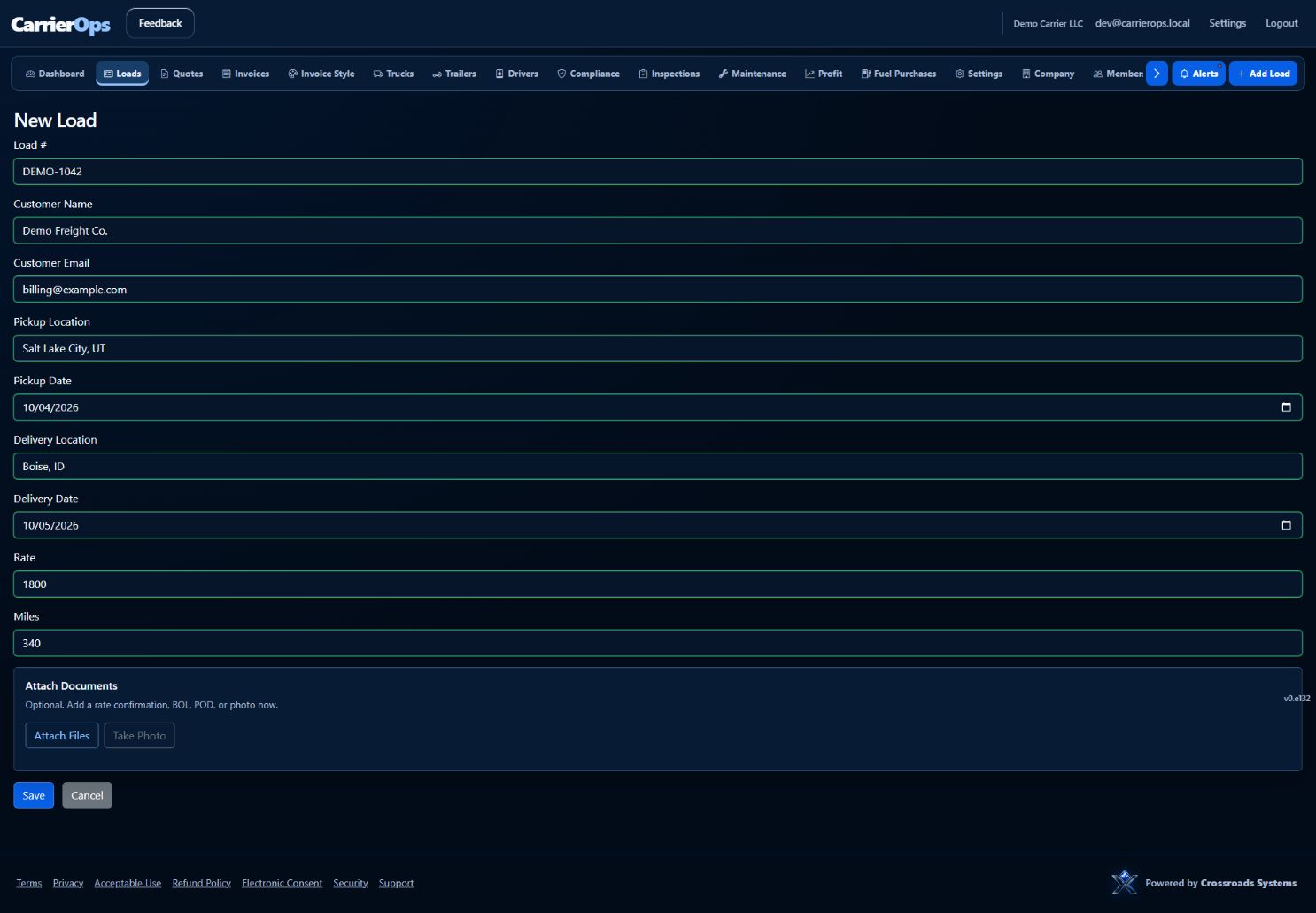
Create the load
Enter the trip once
Keep the customer, route, dates, rate, mileage, and load number together from the start.
- Simple load setup
- Rate and mileage at a glance
- Documents stay with the load
Enter the trip once
Press Escape or tap outside the image to close.
Move and deliver
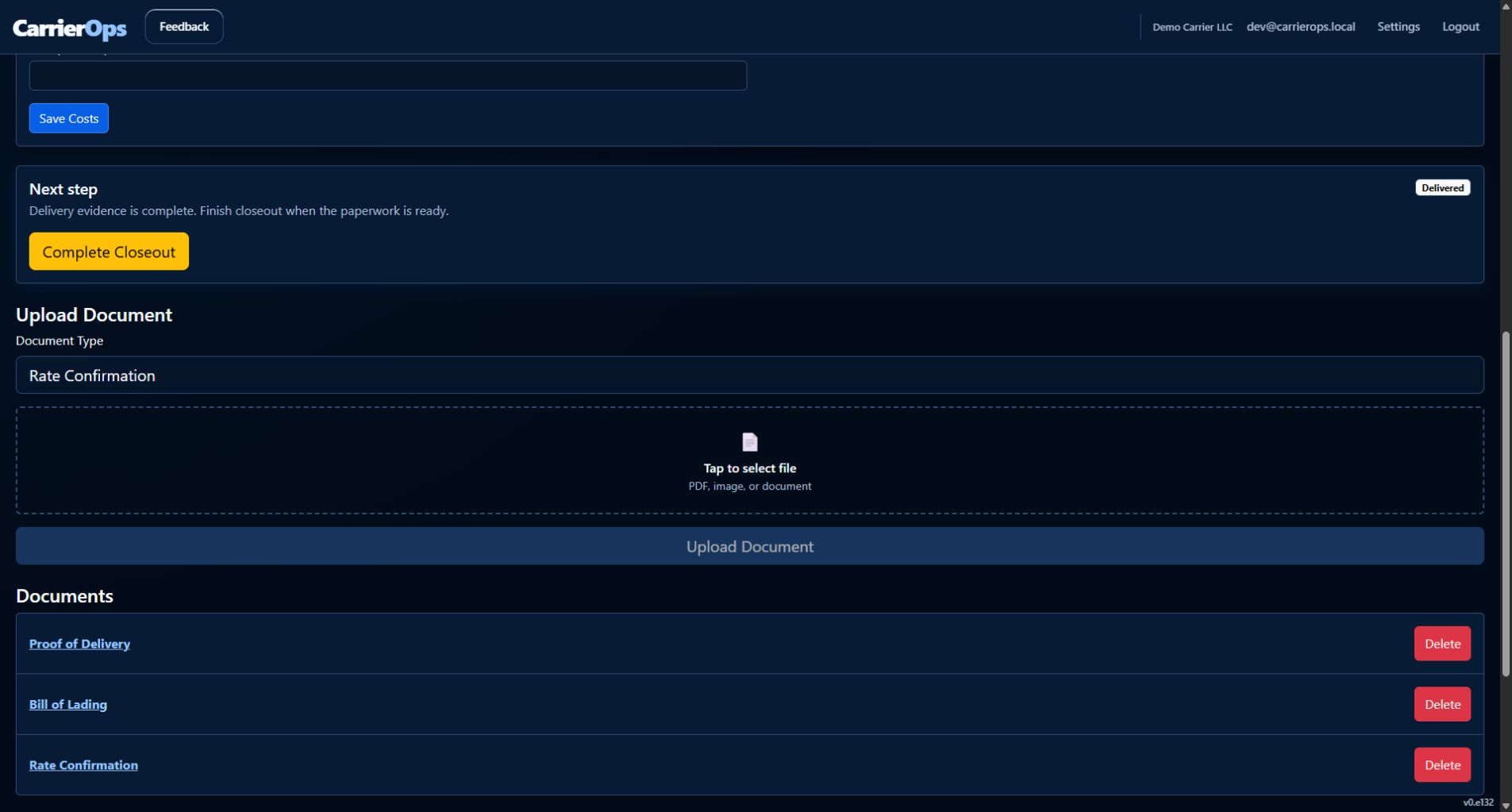
Know exactly what happens next
The guided action changes with the load—assign it, confirm pickup, capture delivery evidence, then move on.
- Driver and equipment assignment
- Pickup and delivery timestamps
- POD attached to the load record
Know exactly what happens next
Press Escape or tap outside the image to close.
Close out cleanly
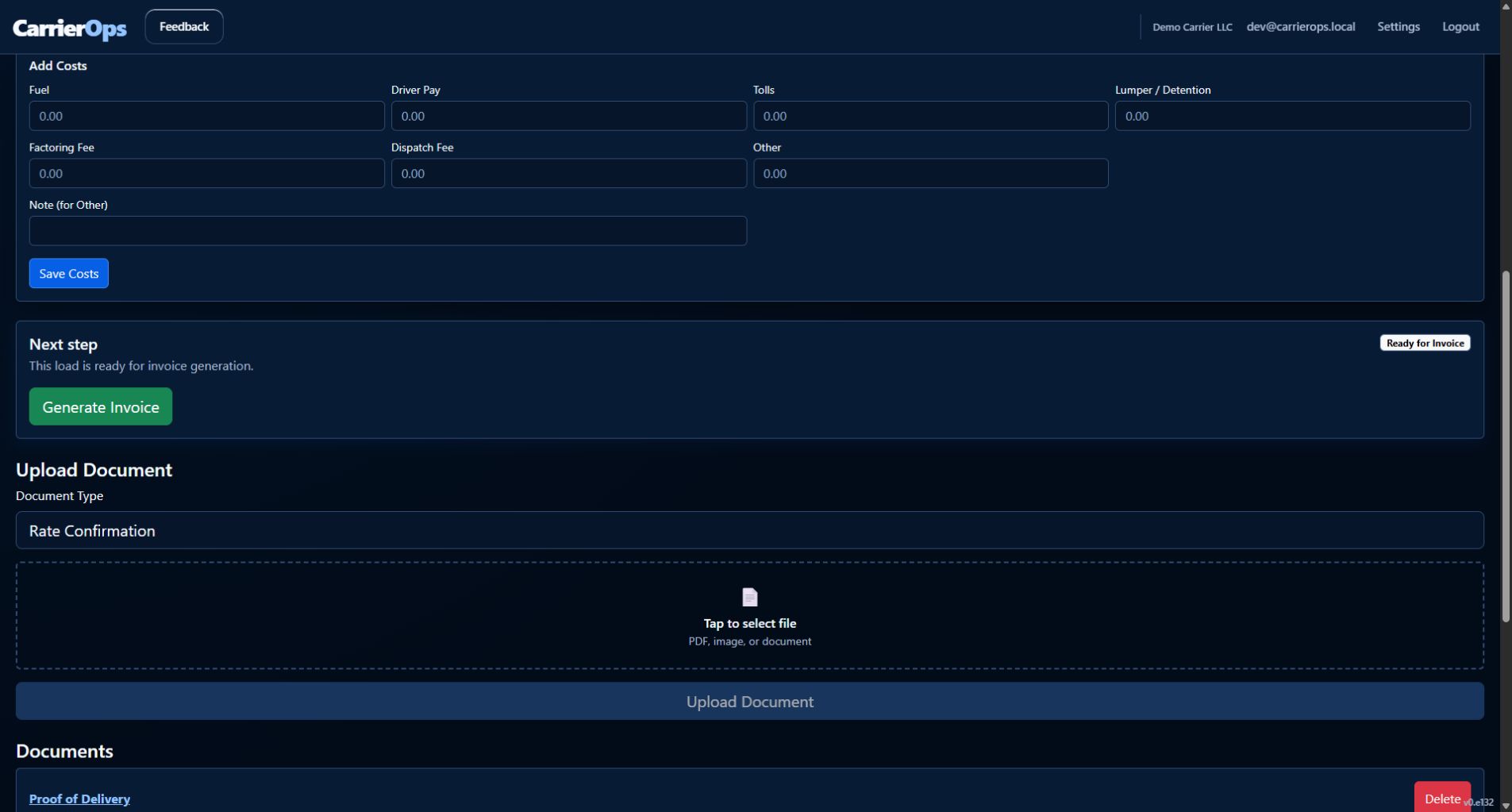
See when the paperwork is invoice-ready
CarrierOps keeps the status, delivery evidence, costs, and activity history visible in one place.
- Clear Ready for Invoice status
- Revenue, costs, and profit together
- A timestamped workflow history
See when the paperwork is invoice-ready
Press Escape or tap outside the image to close.
Review and invoice
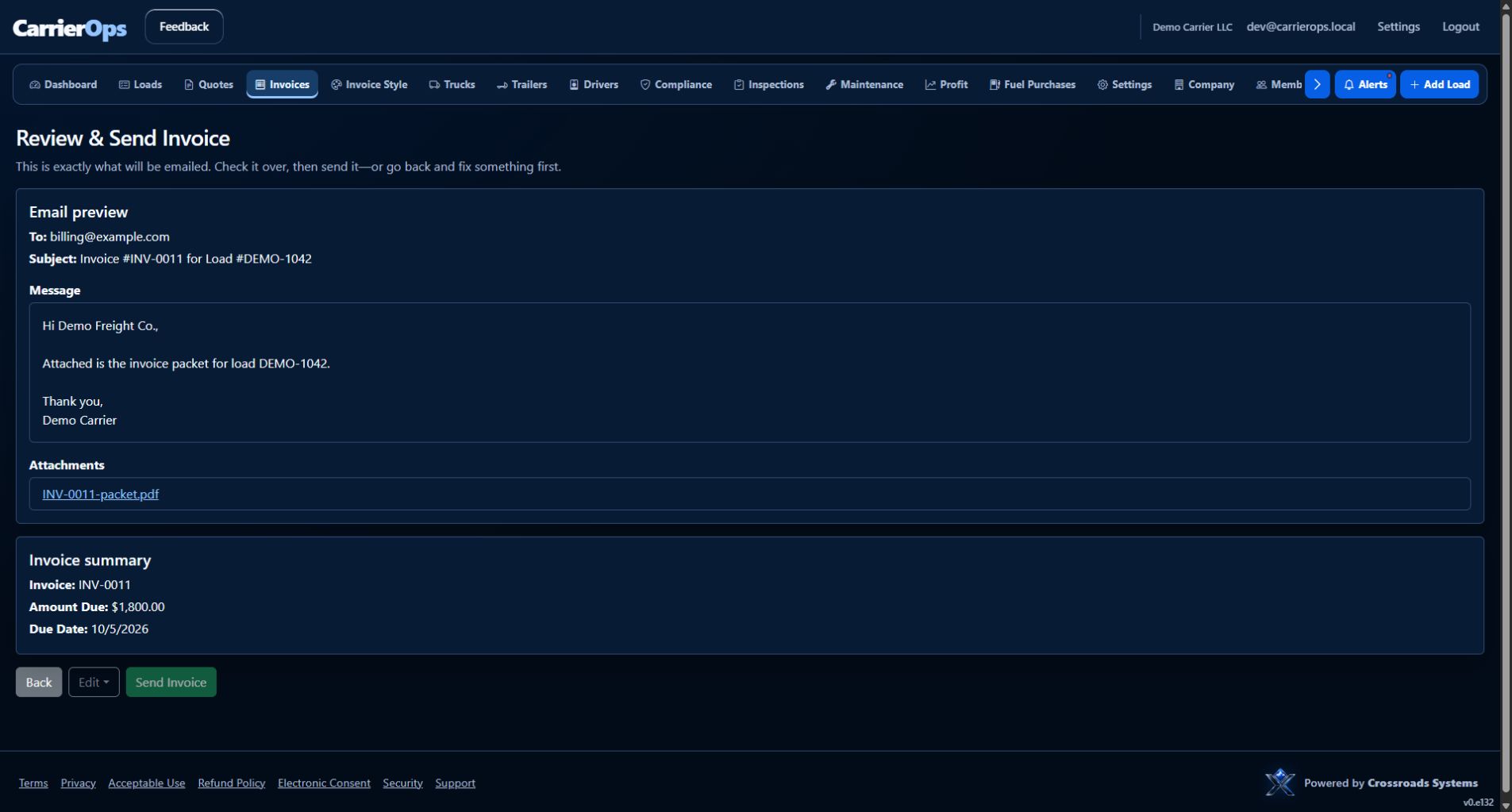
Send a complete packet with confidence
Review the recipient, message, invoice amount, and attached packet before anything leaves your office.
- Invoice and load details connected
- POD included in the packet
- Final review before sending
Send a complete packet with confidence
Press Escape or tap outside the image to close.
Ready to run your next load with less back-office work?
Start free and keep the entire load record in one place.